Player Tracking
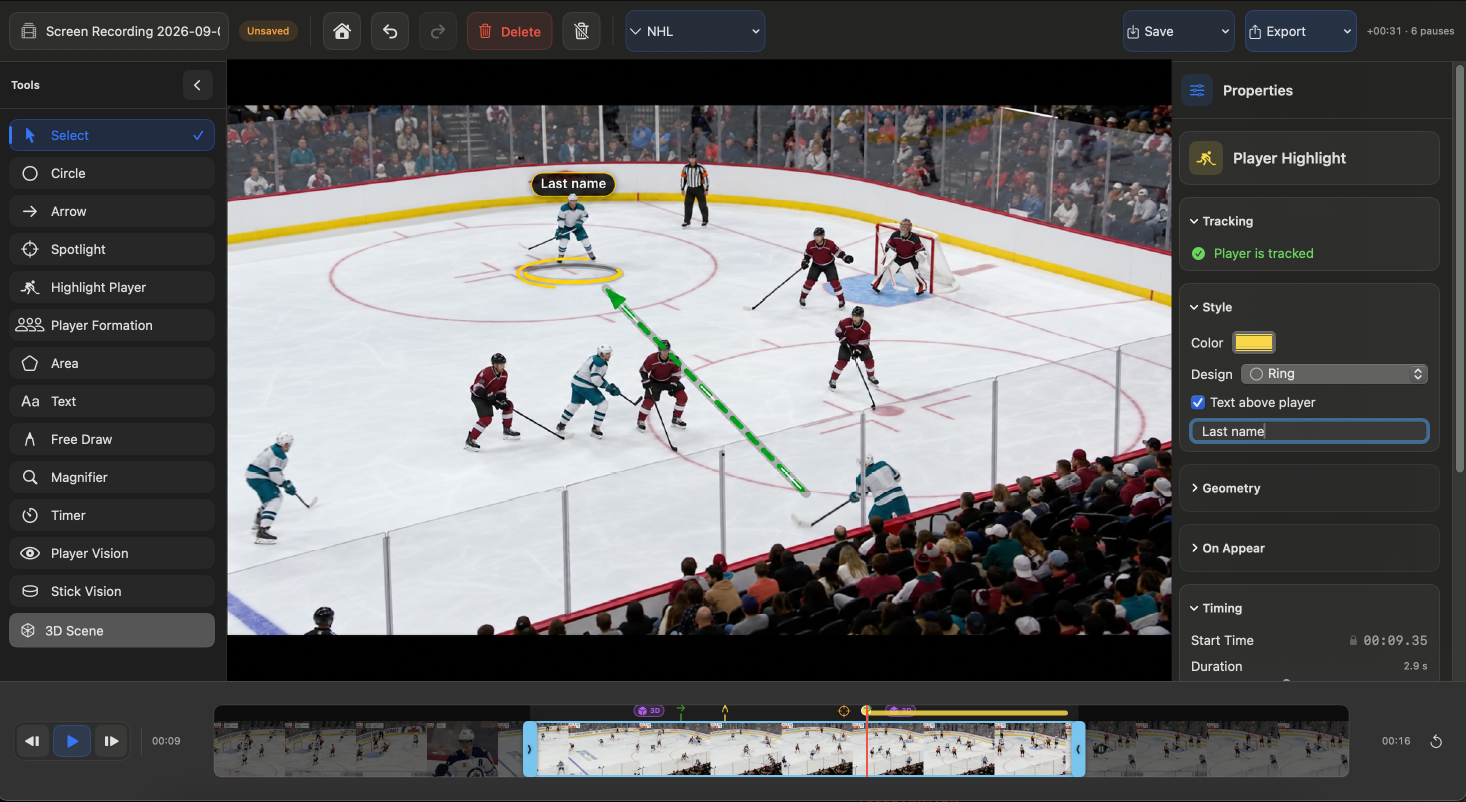
Keep the focus on the player.
Select a player and let TactiPlay follow them through the sequence. Adjust the track manually whenever traffic, occlusion, or camera movement gets in the way.
 TactiPlay
Track players, add telestration, reconstruct key moments in 3D, and export a finished analysis video
7-day full trialNo card requiredmacOS 15.4+
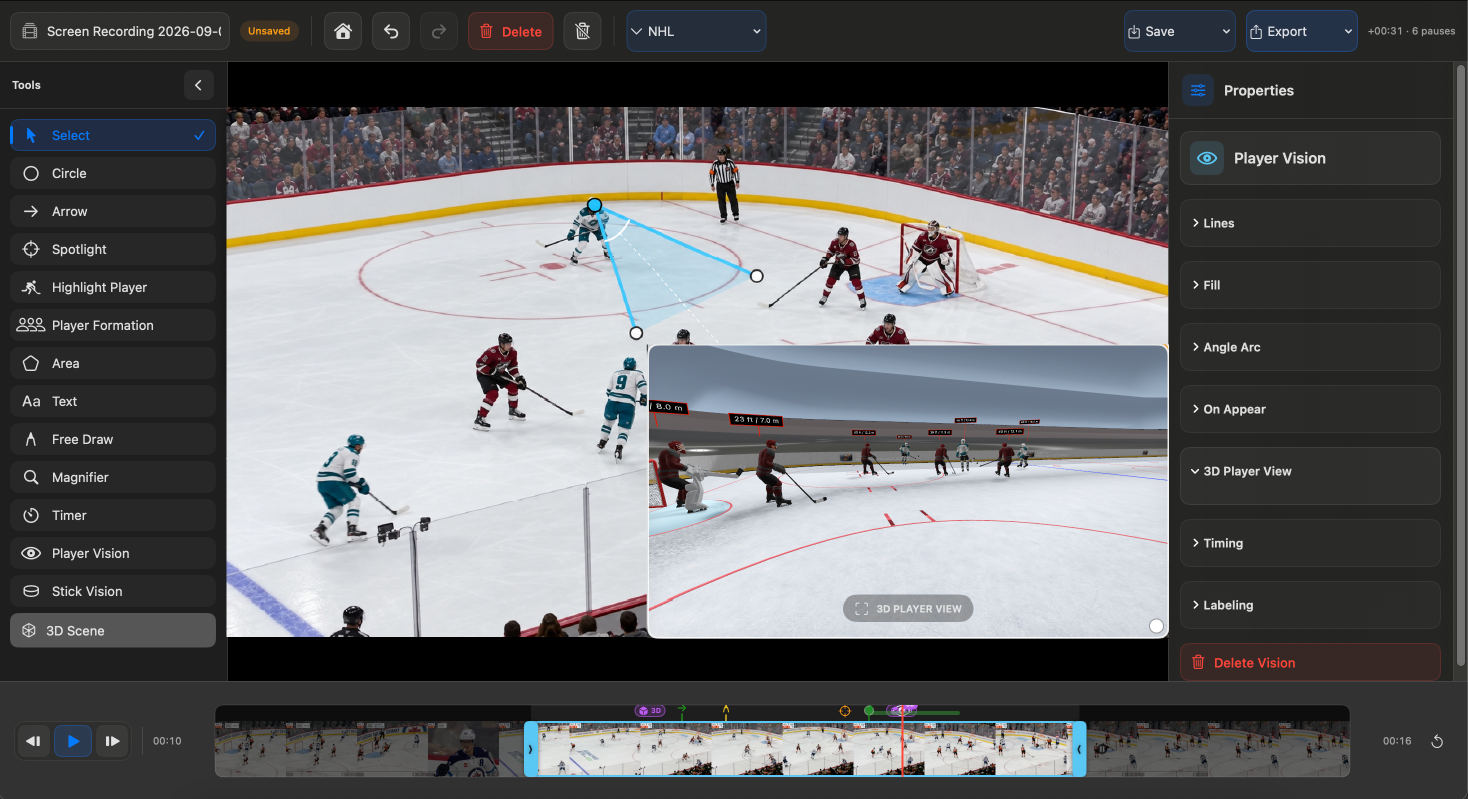
From player tracking and telestration to Player POV, 3D reconstruction and Stick POV.
Select a player and let TactiPlay follow them through the sequence. Adjust the track manually whenever traffic, occlusion, or camera movement gets in the way.
Add arrows, circles, areas, free drawing, text, spotlights, and formations directly over the play.
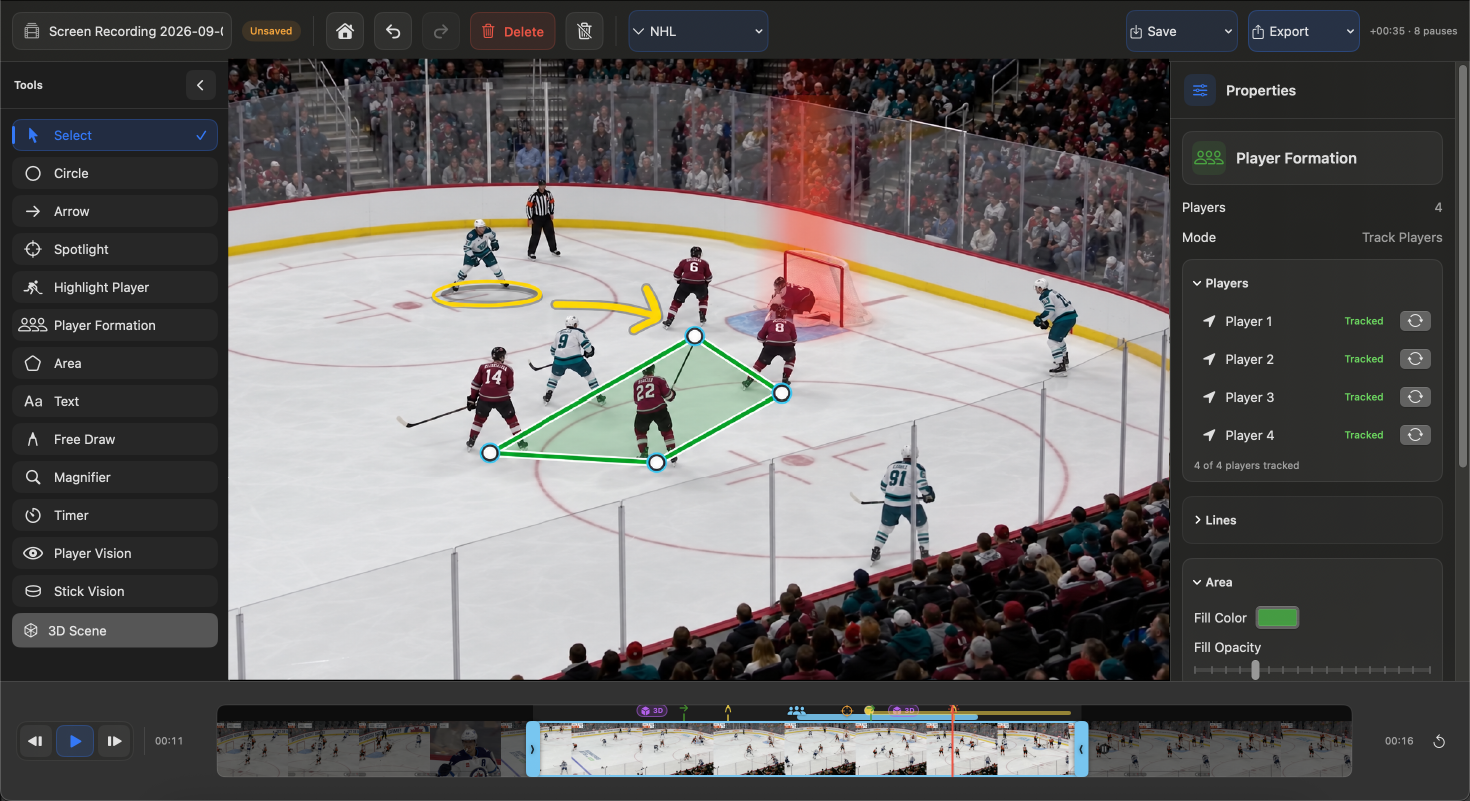
Reconstruct a single hockey moment from different points of view and explore it in 3D.
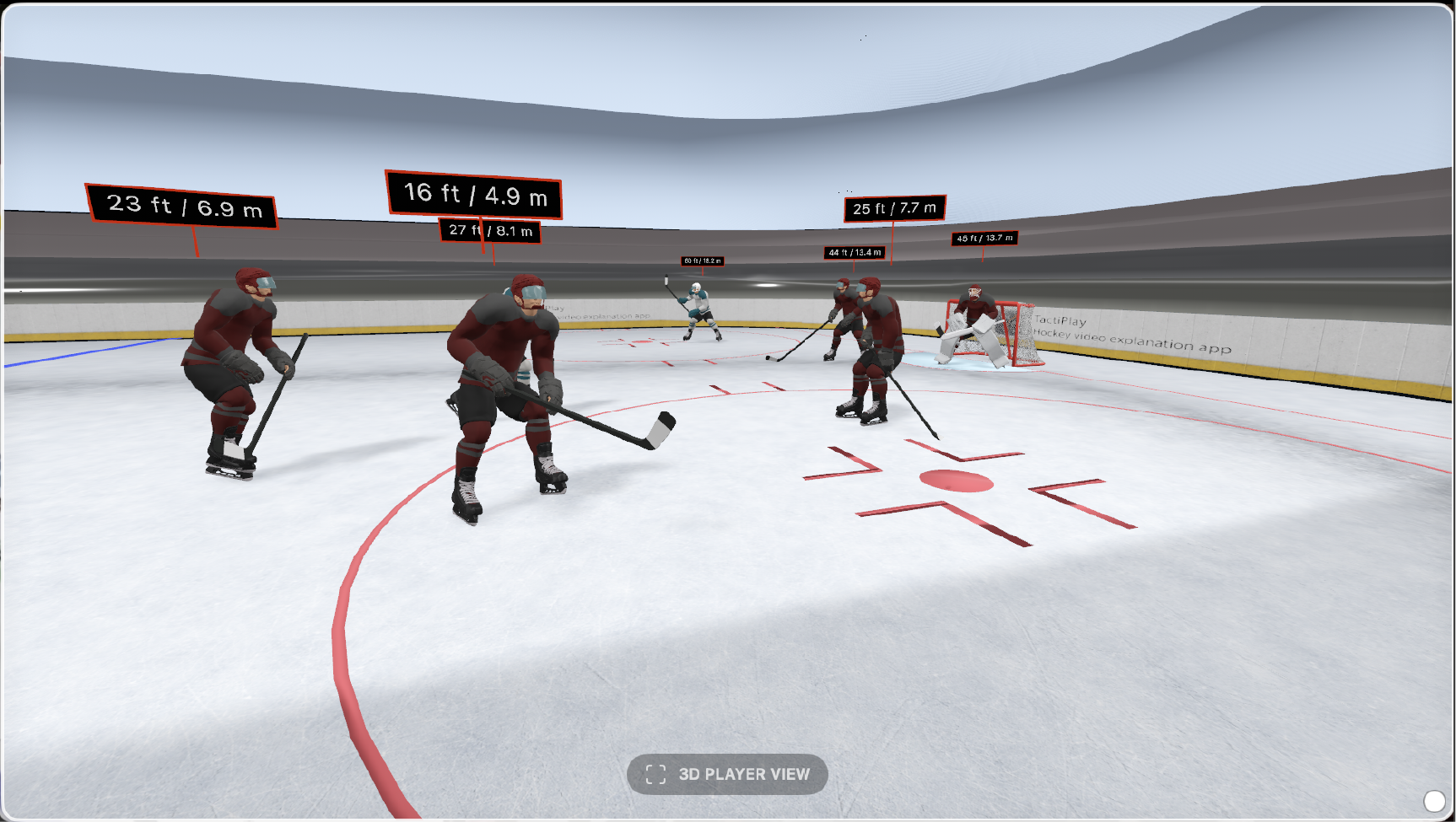
Reconstruct what the player could see from their position on the ice.
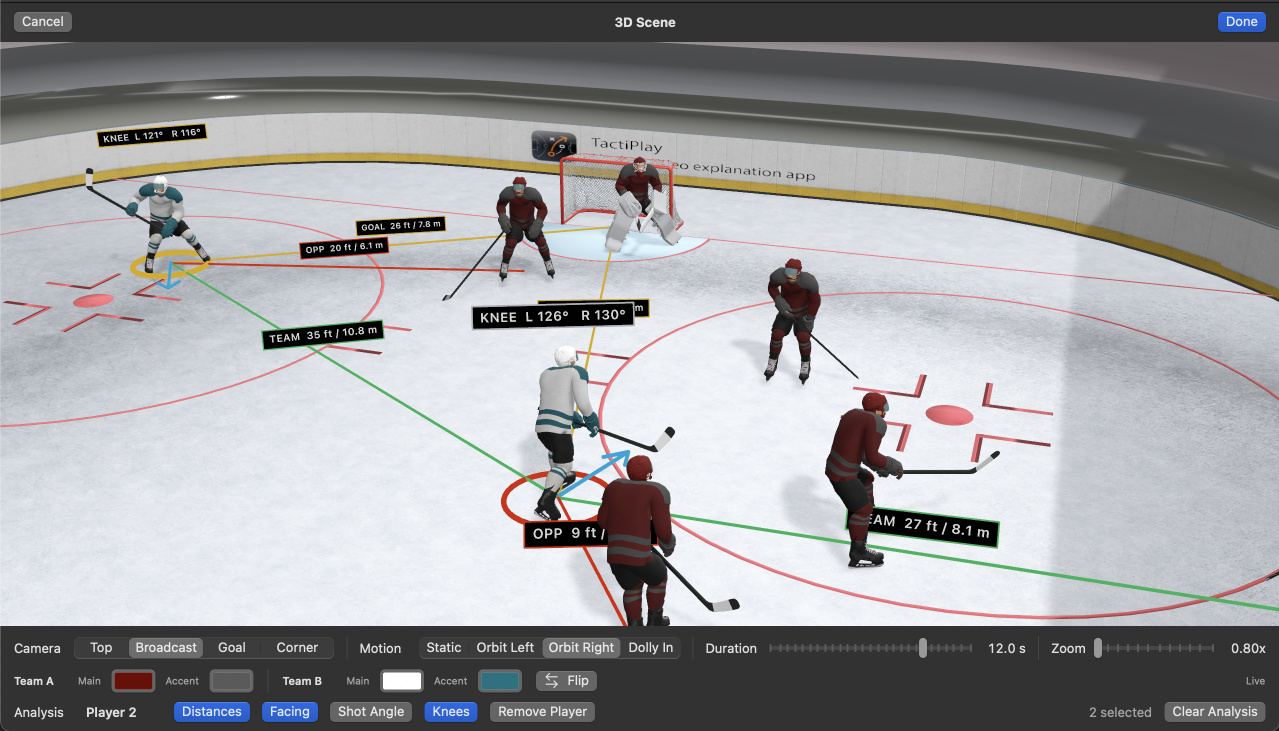
Reconstruct the players and their positions as a complete 3D scene.
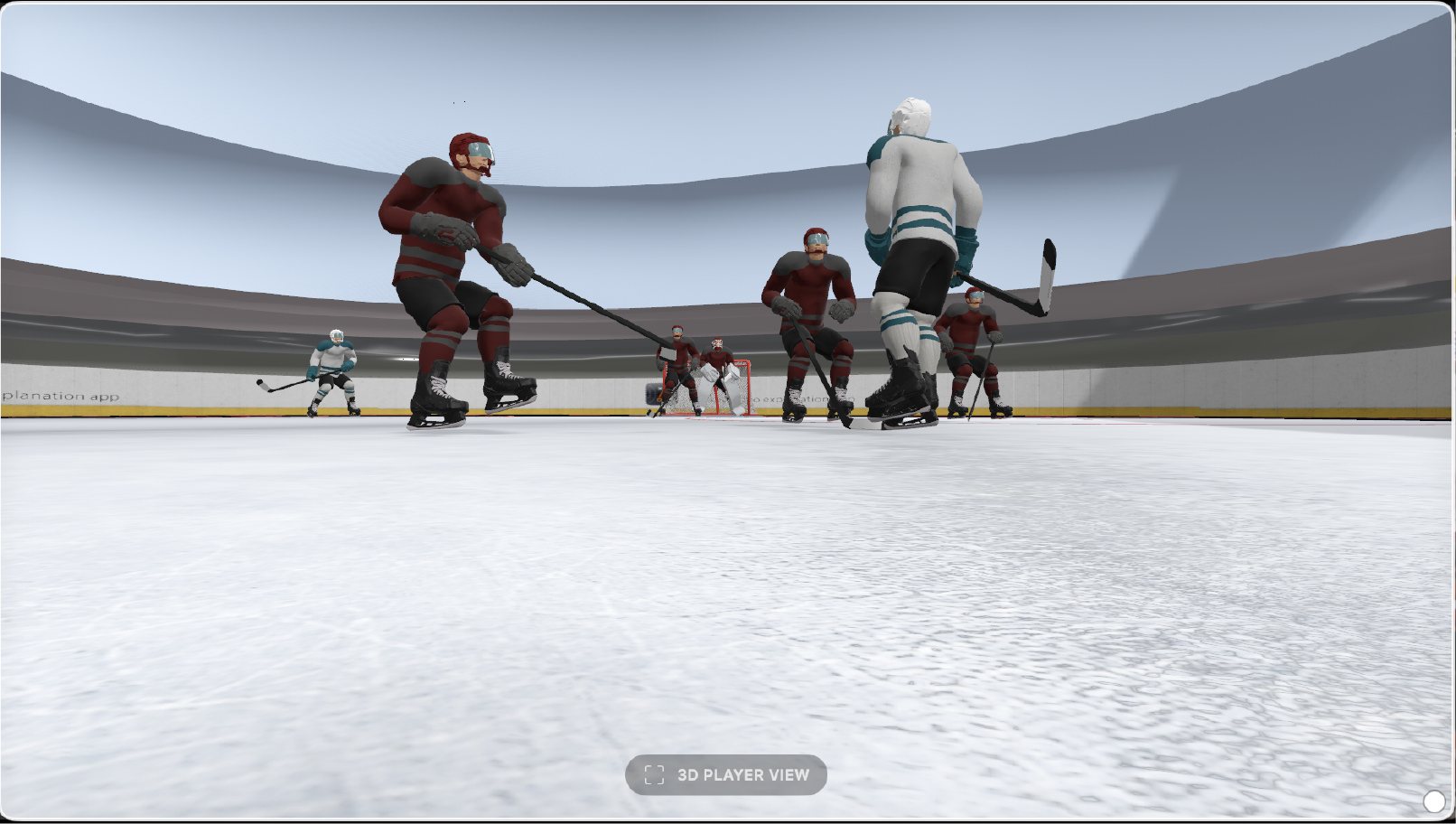
Compare the player’s view with the point where the puck actually leaves the stick.
Control when each element appears, add pauses where the play needs explanation, and export the finished analysis as an MP4.
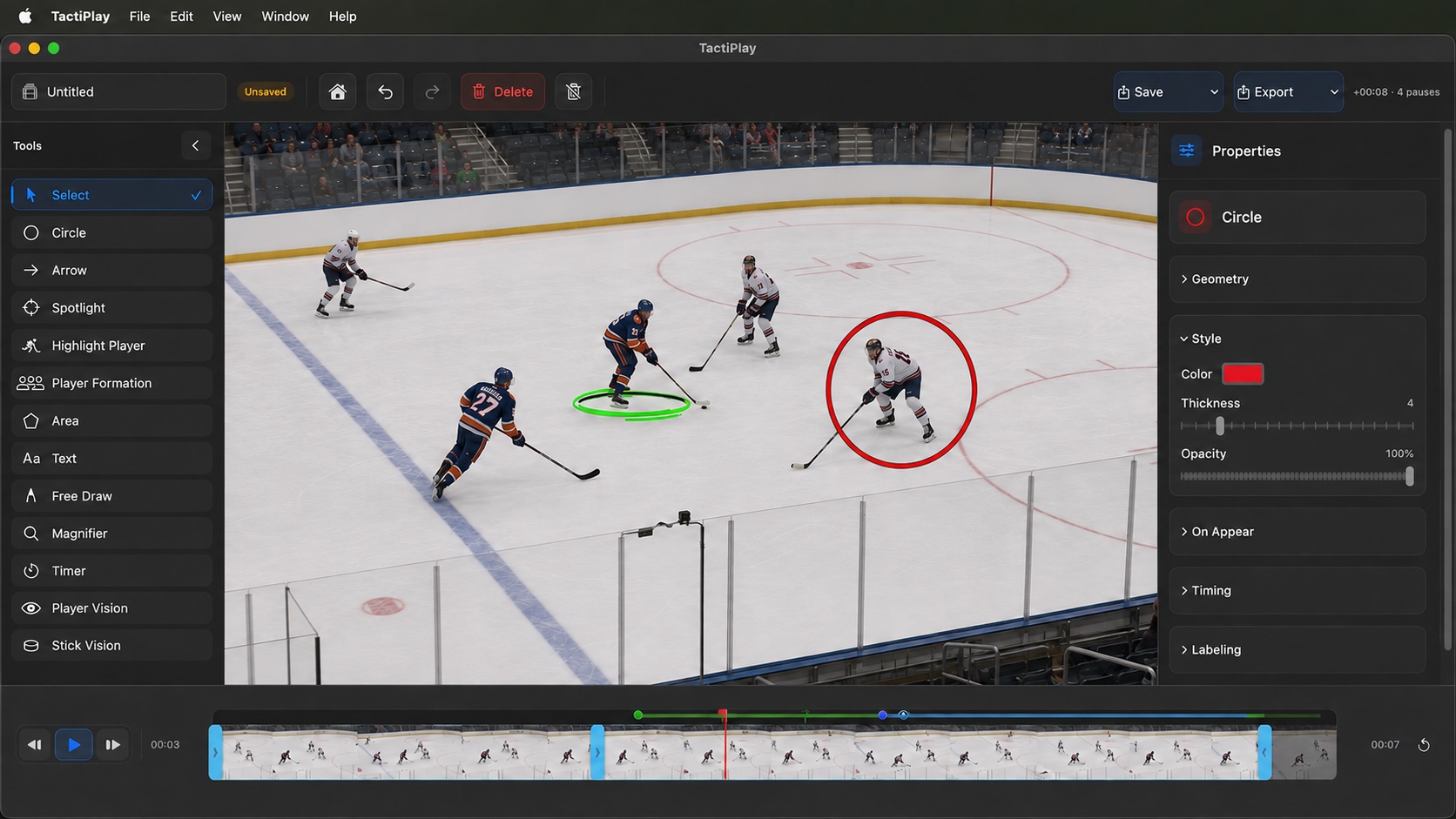
Open practice, game, or broadcast video directly from your Mac.
Track players, add telestration, adjust timing, and reconstruct key moments in 3D.
Render the finished analysis as an MP4 for players, coaches, or presentations.
Try every TactiPlay feature on your own footage. No payment details required.
Choose monthly or annual billing. Every TactiPlay feature is included in both.
Full access to TactiPlay with the flexibility to cancel anytime.
Choose MonthlyFull access for a year — equivalent to $14.92 per month.
Choose AnnualTactiPlay currently requires macOS 15.4 or later.
PlatformmacOS 15.4+
License2 Macs
Video processingLocal
TactiPlay reconstructs a selected moment from the original hockey footage, estimating player position, body pose, and their placement on the rink. Player POV shows the moment from the player’s perspective, while 3D Scene lets you explore the reconstructed play from another angle.
No. They are reconstructed views created from the original video. TactiPlay uses the information available in the frame to estimate the players and their positions in 3D.
No. Your source video and TactiPlay projects are processed locally on your Mac.
The 7-day trial includes full access to all TactiPlay features. No payment details are required.
Yes. A TactiPlay license can be activated on up to two Macs.
Yes. TactiPlay can track the selected player automatically, and you can correct the track manually whenever needed.
You can continue using TactiPlay until the end of your current billing period. Your local projects remain on your Mac.
Start with 7 days of full access. No payment details required.